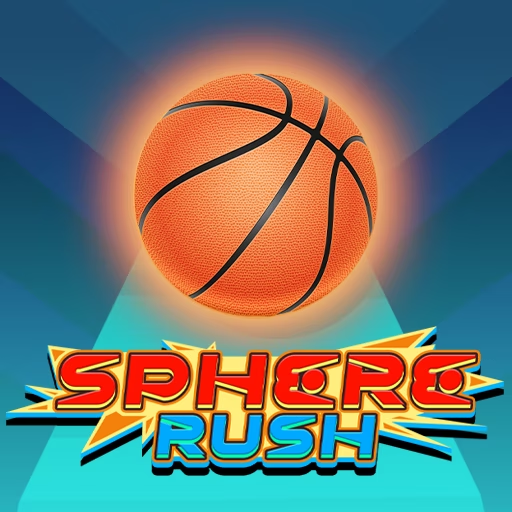

About Sphere Rush
Sphere Rush places a moving ball on colorful sky courses where narrow bridges, gaps, and obstacles interrupt the route. Forward travel is automatic, while your lateral movement keeps the sphere aligned with the usable tiles. Music accompanies the run, but the track itself tells you where the next correction needs to happen.
Bounce tiles provide a way across breaks in the course, turning the approach to a gap into a positioning task. Moving barriers and changing platform arrangements make that setup harder to repeat mechanically. Before each crossing, identify the tile that launches the ball and the surface waiting beyond it, then make a controlled adjustment that connects the two.
How to Play Sphere Rush
Keep the sphere on the course by steering through open paths and reaching bounce tiles before gaps.
- Move the mouse left or right to guide the sphere across the track.
- Choose a clear path around spikes and moving barriers.
- Align with a bounce tile when the course requires an airborne crossing.
- Continue onto the receiving platform and read the next section without falling or colliding.
Controls & Timing
Reaching the bounce tile
A gap crossing starts with the tile before it. Guide the sphere onto that tile early enough to avoid a last-second sideways movement at the edge.
Moving barriers
When a block changes position, judge the opening at the time you will reach it. A clear route at first glance may close during the approach.
Music and geometry
Use the soundtrack to settle into the run, but let platform positions decide your corrections. Repeating a beat without reading the surface can miss a changed obstacle pattern.
Controls
| Input | Action | When to use |
|---|---|---|
| Move mouse left | Guide the sphere left | To align with an opening or bounce tile |
| Move mouse right | Guide the sphere right | To align with an opening or bounce tile |
High Score Tips
- Trace the route from launch tile to receiving platform so a successful bounce also leads to a usable landing.
- Make the necessary sideways adjustment on wider track before entering a narrow bridge, preserving a margin along the edges.
- Follow the movement of a barrier long enough to judge its direction instead of reacting to a single position.
- After a gap failure, check whether you missed the launch tile or the landing; those are separate alignment problems.
- Use small mouse movements near exposed edges so a correction toward safety does not carry the ball off the opposite side.
Key Features
- Floating tile courses: Narrow surfaces make alignment central to progress.
- Bounce-tile crossings: The track provides launches across gaps.
- Moving hazards: Openings can change during the approach.
- Musical backdrop: Rhythm accompanies a route that still needs visual reading.
Frequently Asked Questions
How is the sphere guided?
The mouse-control descriptions use left and right mouse movement to guide the ball across the track. Forward travel happens automatically, leaving you to align with open paths, narrow platforms, and bounce tiles.
Do I need to press a jump key at a gap?
The source course uses bounce tiles for gap crossings. Steer onto the appropriate tile and read the landing ahead; this guide does not assign an unconfirmed manual jump key to the game.
Should I follow the music exactly?
Use the music as a background rhythm, while making route decisions from the visible tiles and obstacles. A changed platform or moving barrier can require a correction that a repeating beat alone will not explain.
Why does an apparently open path become unsafe?
Some barriers move while the sphere approaches. Continue checking the opening until the crossing, and judge where the obstacle will be when you arrive instead of trusting only its initial position.
What should I adjust after missing a gap?
First determine whether the sphere reached the bounce tile correctly. If it did, look at the line toward the receiving platform; separating takeoff and landing makes the next change more deliberate.