
About Snow Rush 3D
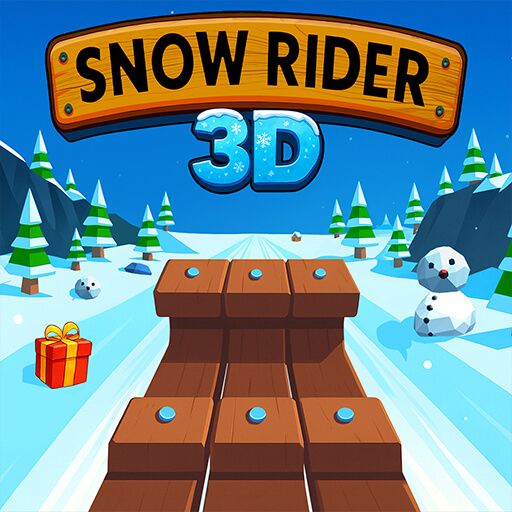
Snow Rush 3D turns a downhill sled run into either a solo record attempt or a local contest with a friend. Trees, snowmen, rocks, and gaps interrupt the snowy route, and jumping adds another way to handle a crossing when steering alone is not enough. The immediate objective is to keep the sled on a survivable line for greater distance.
In two-player mode, separate controls let each person manage a sled on the same computer. Looking at the other run can be tempting, but the obstacle on your own side remains the urgent decision. Gift boxes provide an additional collection goal and unlock other sled appearances. Choose the safe approach first, then collect where the route allows.
How to Play Snow Rush 3D
Player 1 steers with A/D and jumps with Space; Player 2 uses the left/right arrows and the up arrow. Survive the snowy course for the greatest distance.
- Choose solo play or the local two-player option.
- In two-player mode, assign the keyboard controls before starting the sleds.
- Steer around obstacles and jump when the route offers a suitable airborne crossing.
- Collect safe gifts and extend the run; in a local contest, aim to travel farther than your friend.
Controls & Timing
Two players need clear roles
Before the run, agree who uses A/D and who uses the arrows. Separate hands and attention make each person's steering and jump inputs easier to keep consistent.
A jump needs a receiving surface
A gap or obstacle can invite a jump, but the snow beyond it must also be usable. Read the landing before pressing the assigned jump key.
Gifts create a route choice
A present near a hazard is optional collection, not a compulsory turn. Keep your sled's survival line intact while judging whether the pickup leaves room to continue.
Controls
| Input | Action | When to use |
|---|---|---|
| Player 1: A / D | Steer left or right | To avoid obstacles in Player 1's route |
| Player 1: Space | Jump | For a crossing with a clear landing |
| Player 2: ← / → | Steer left or right | To avoid obstacles in Player 2's route |
| Player 2: ↑ | Jump | For a crossing with a clear landing |
High Score Tips
- Choose between steering and jumping while the hazard is still ahead, leaving time to establish a clear approach rather than changing the plan at contact.
- In two-player mode, keep your attention on your own next obstacle; an opponent's mistake is not a cue to stop reading your route.
- Use the area beyond a gift to judge its value, declining the pickup if the required turn leads immediately into another hazard.
- When a run becomes faster, scan farther down the snow so your input can stay measured instead of turning into a larger late correction.
- Compare a failed jump's takeoff and landing separately, then adjust the part that actually caused the collision or missed surface.
Key Features
- Solo and local two-player options: Play for your own distance or compete on one computer.
- Separate keyboard controls: Each player has distinct steering and jump inputs.
- Snowy obstacle routes: Ramps, gaps, and winter hazards keep the descent changing.
- Gift-based sled collection: Pickups contribute to additional visual sled choices.
Frequently Asked Questions
Can two people play on the same computer?
Yes. The described two-player mode uses separate keyboard inputs for each sled. Assign the controls before starting so both players can concentrate on their own obstacle route throughout the run.
What controls does Player 1 use?
Player 1 steers with A and D and can use Space to jump. Judge the landing beyond a hazard before pressing the jump key, rather than reacting only to the obstacle's nearest edge.
What controls does Player 2 use?
Player 2 steers with the left and right arrows and jumps with the up arrow. These inputs keep the second sled separate from Player 1's A/D and Space controls.
How is the local competition decided?
The source describes trying to travel farther than your friend. Keep extending your own run instead of watching the other player's screen area while an obstacle is approaching your sled.
What do gift boxes provide?
Collected gifts contribute to unlocking other sled appearances. Take them when the surrounding route is clear, without assuming that a new sled look makes a collision safer or changes the control rules.