



About Geometry Vibes
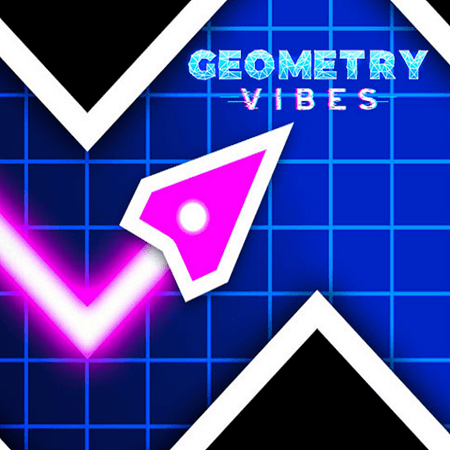
Geometry Vibes uses a wave-style arrow that rises while you hold an input and dives when you release it. Obstacles and spikes define the corridor, so the length of each rising or falling segment determines whether the route stays open. The movement is compact, but a small timing error can send the arrow into the edge of a shape.
Three modes give that movement different goals. Classic offers ten levels, Endless challenges you to extend a run as speed increases, and Race supports two to four players on the same keyboard. Choose the mode before settling into a strategy: completing a known level and reacting through a lengthening endless attempt reward different kinds of preparation.
How to Play Geometry Vibes
Keep the arrow clear of obstacles while pursuing the selected mode’s level or distance objective.
- Choose Classic, Endless, or Race from the game menu.
- For solo play, hold the left mouse button or up arrow to rise and release to descend.
- Adjust the length of each flight segment to the opening ahead.
- For a local race, assign each player the key shown for their slot before starting.
Controls & Timing
A held flight segment
Holding points the arrow upward through the corridor. Release before that segment reaches a hazard, leaving room for the downward path that follows.
Classic or Endless
In Classic, use repeated attempts to learn the level's difficult transitions. In Endless, keep updating the route as speed and distance increase instead of relying on a fixed sequence.
Sharing the keyboard
Race gives players separate inputs on one keyboard. Agree on the assigned controls first so overlapping hands do not become another obstacle during the run.
Controls
| Input | Action | When to use |
|---|---|---|
| Hold left mouse / ↑ | Fly upward in solo play | When the opening requires a rising path |
| Release the active input | Dive downward | When the path needs to turn lower |
| Race slot inputs: Space or mouse; ↑; H; L | Control the assigned local player's rise and dive | Use the slot shown by the Race setup |
High Score Tips
- In Classic, remember the transition that causes trouble together with its approach, so retries improve the setup rather than only the final reaction.
- In Endless, scan farther ahead as speed rises, maintaining enough notice to shorten a held input before the next hazard.
- Prefer compact zigzags in narrow passages, since a long rise or dive uses the margin needed for the following reversal.
- During a race, keep your gaze on your own arrow and immediate route instead of turning every opponent's movement into a distraction.
- Use the soundtrack to maintain a comfortable rhythm while letting the visible opening decide the actual moment to change direction.
Key Features
- Three game modes: Classic, Endless, and Race provide distinct objectives.
- Ten Classic levels: A fixed set of stages supports learning across retries.
- Local two-to-four-player races: Separate keys let friends compete on one keyboard.
- Wave flight control: Holding and releasing create the arrow's path.
Frequently Asked Questions
How do I control the arrow alone?
Hold the left mouse button or up arrow to rise, then release to descend. Both directions continue the flight, so leave enough room for the next segment before changing between them.
How many Classic levels are there?
The publisher describes ten Classic levels with increasing difficulty. Repeating a stage lets you learn its awkward transitions, while Endless offers a different goal based on extending a continuous run.
Is Race mode online multiplayer?
The publisher describes Race as local competition for two, three, or four players on the same keyboard. Assign the displayed player controls before starting; this mode does not require treating opponents as remote players.
Which controls do additional players use?
Race uses separate player inputs including the up arrow, H, and L, with mouse or Space available for the first slot. Follow the slot labels in the setup so each person controls the intended arrow.
What changes in Endless mode?
The attempt continues as a distance challenge, with speed increasing as you progress. Keep reading new openings and adjusting your timing, rather than applying the memorized sequence you might use for a Classic level.